
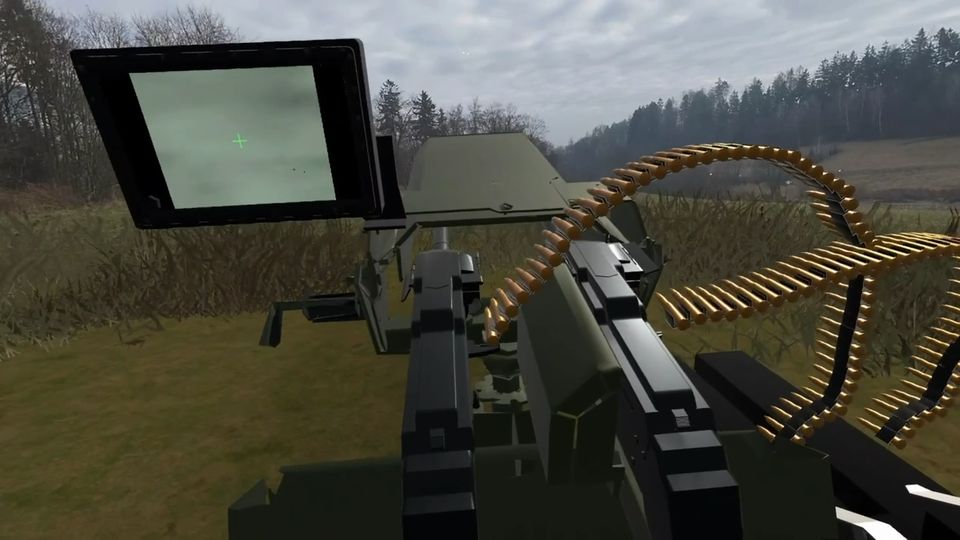
Moving aerial targets
Practise lead, range estimation and adjustments for target speed, wind and flight direction.
up to 150–200 km/hup to 600 m
VR counter-drone training system
VR training for teams that detect and respond to drone threats.
Learn the equipment. Practise the procedures. Build practical skills in one immersive environment.
Who it is for
Practise detecting, tracking and engaging aerial targets.
Rehearse the response to a drone threat at a protected site.
Develop individual operator skills and coordinated team procedures.
Deliver structured courses with regular, repeatable practical exercises.
Give learners practical experience with counter-drone equipment.Included in the Counter-UAS discipline of Russia’s Professionals vocational skills championship.
The training system
equipment training video lessons
practical scenarios in the current version
different observation and equipment operating conditions
of technical support after delivery
About AEROSIM ANTIDRONE
A professional VR training system for counter-drone teams.
The programme goes beyond operating a single device. Trainees practise the complete counter-drone response.
They assess the air situation, select an appropriate response and make decisions under time pressure.
 Full response
The training challenge
Knowing the equipment is only the beginning. Even experienced operators may have limited access to realistic, regular practice against airborne targets.
“I have handled an interceptor drone, but I have never launched one.”
“I have fired at static targets. A drone travelling at 160 km/h, 600 metres away? Never.”
“I rarely get the chance to practise with the equipment, let alone cover a full 360°.”
AEROSIM ANTIDRONE makes these training tasks repeatable in a virtual environment — reducing the need to arrange a live range, fly real drones and consume equipment life for every repetition.
Repeat essential procedures before moving to the live range.
VR supports preparation for live training. It does not replace every activity that requires a real range or operational equipment.
The learning pathway
Equipment operation, procedures, video lessons and supporting materials.
Learn individual actions and equipment procedures step by step.
Vary target speed, range, direction, wind, the number of drones and day or night conditions.
Combine individual skills in a shared simulated air situation.
Carry out the task independently, without training prompts.
Review mistakes and run the exercise again.
Practical training
Practise lead, range estimation and adjustments for target speed, wind and flight direction.
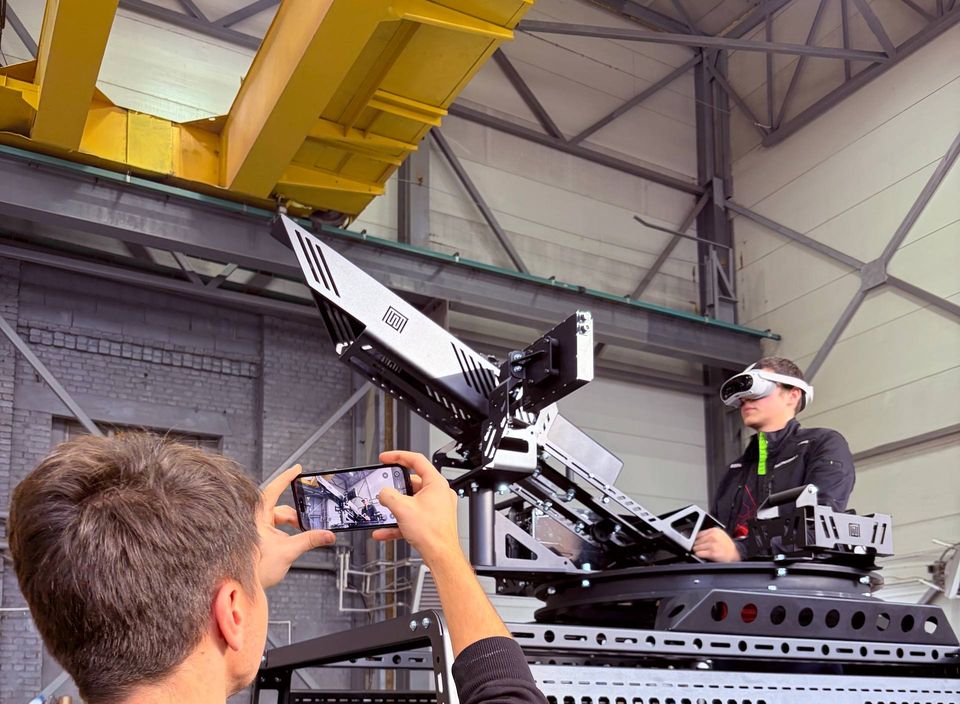
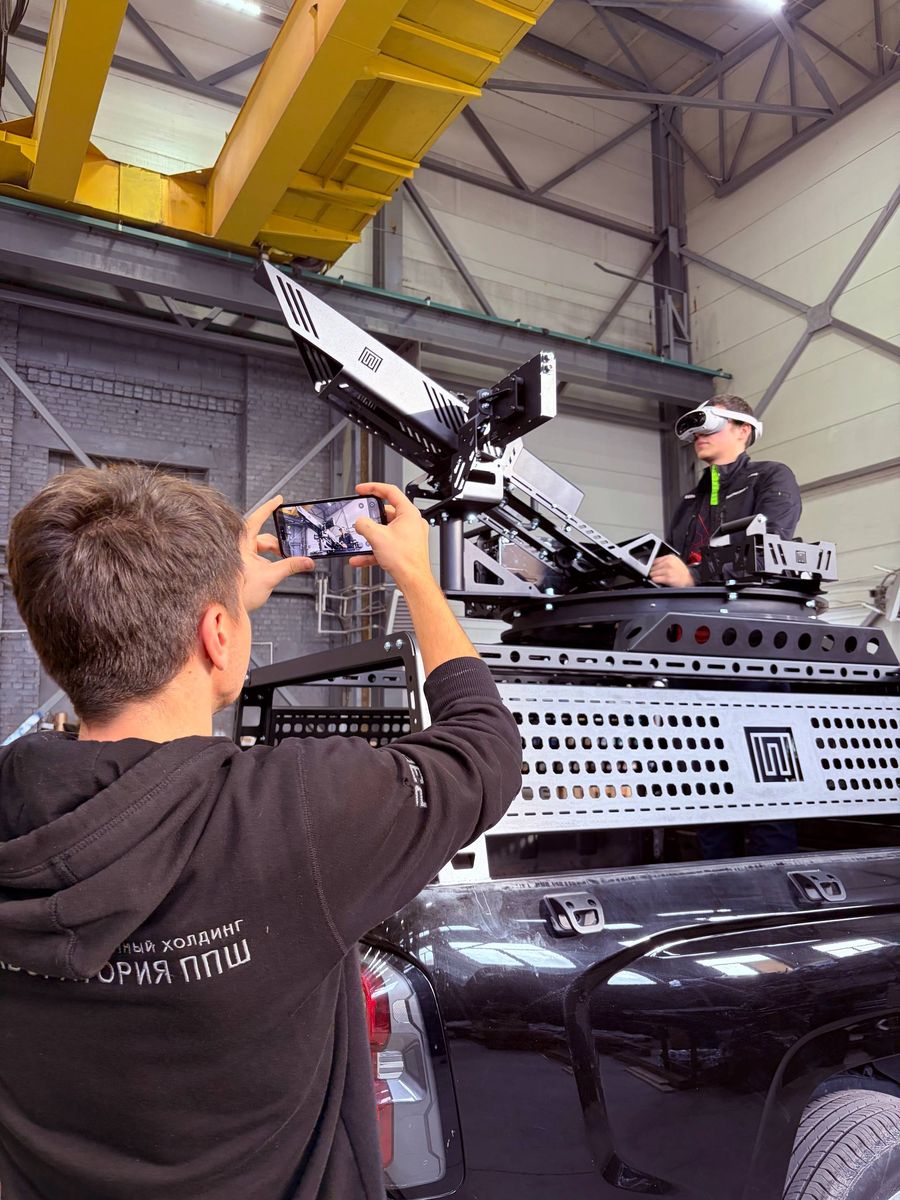
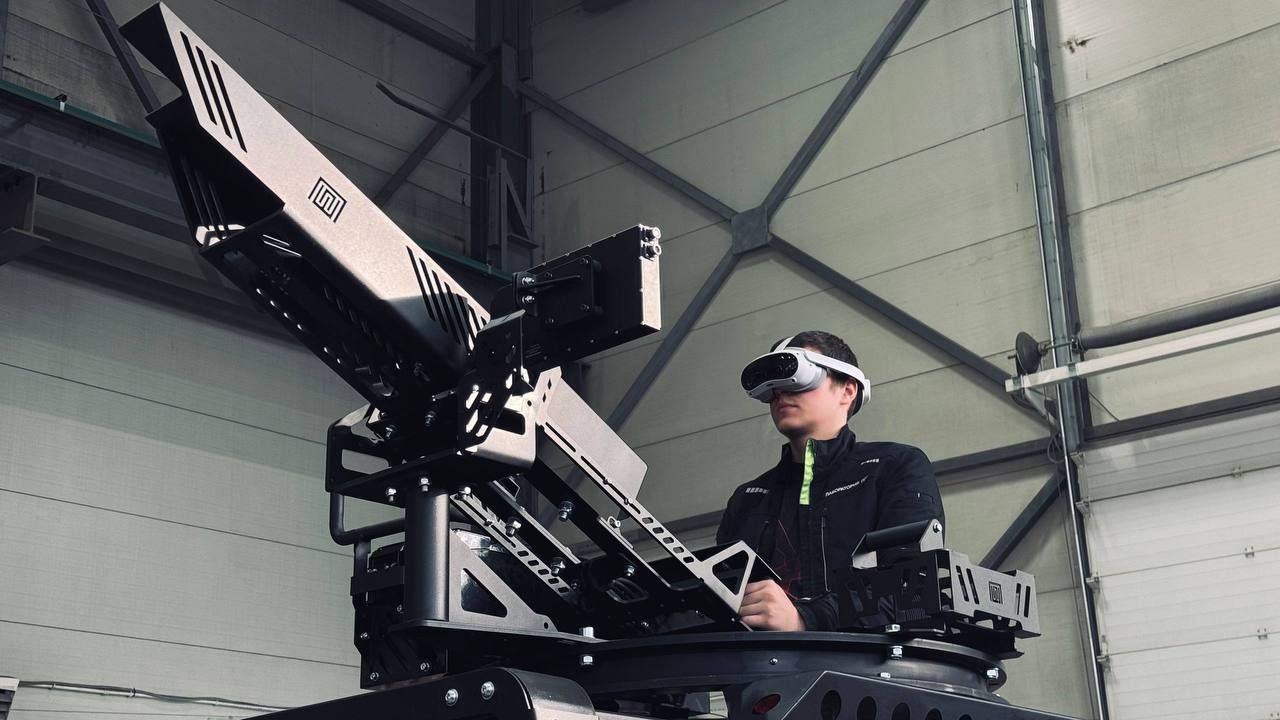
Use a turret and other counter-drone equipment from a moving platform. Rehearse convoy escort and vehicle protection.
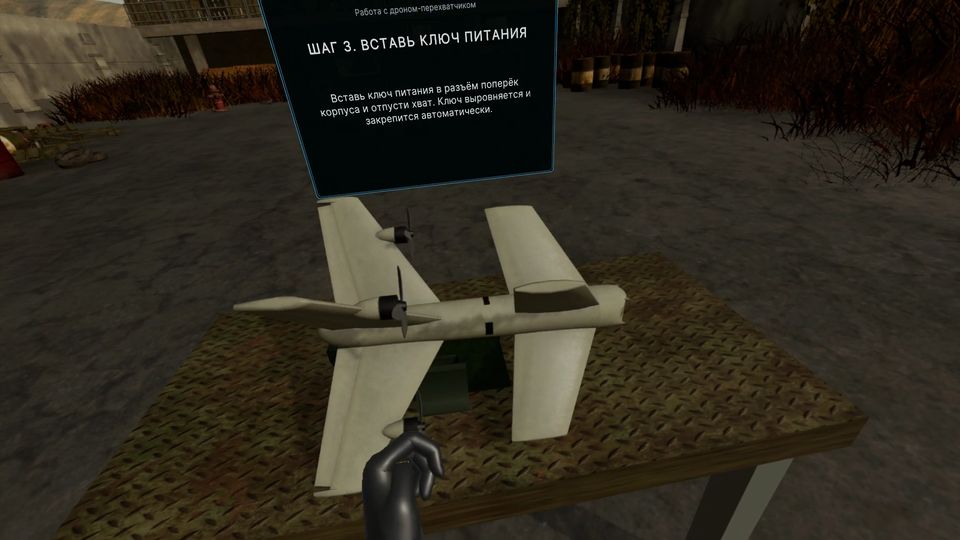
Rehearse preparation, calibration, target acquisition, launch and outcome assessment.
Practise the operating sequence and target tracking for a man-portable air-defence system (MANPADS), without launching a live missile.
Detect aerial targets, practise operator tasks and share information with the rest of the team.
Practise detecting and tracking targets with thermal imagery in reduced visibility.
Equipment and modules
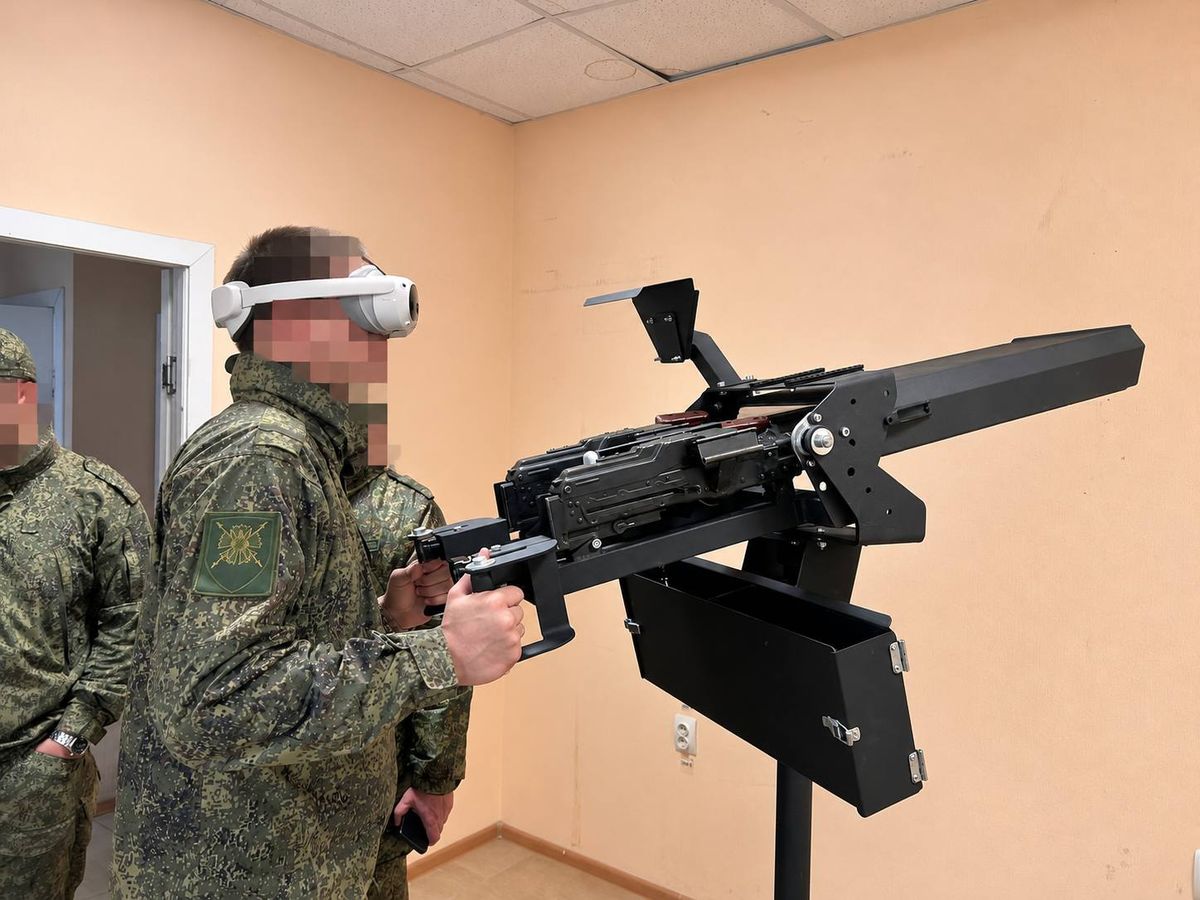
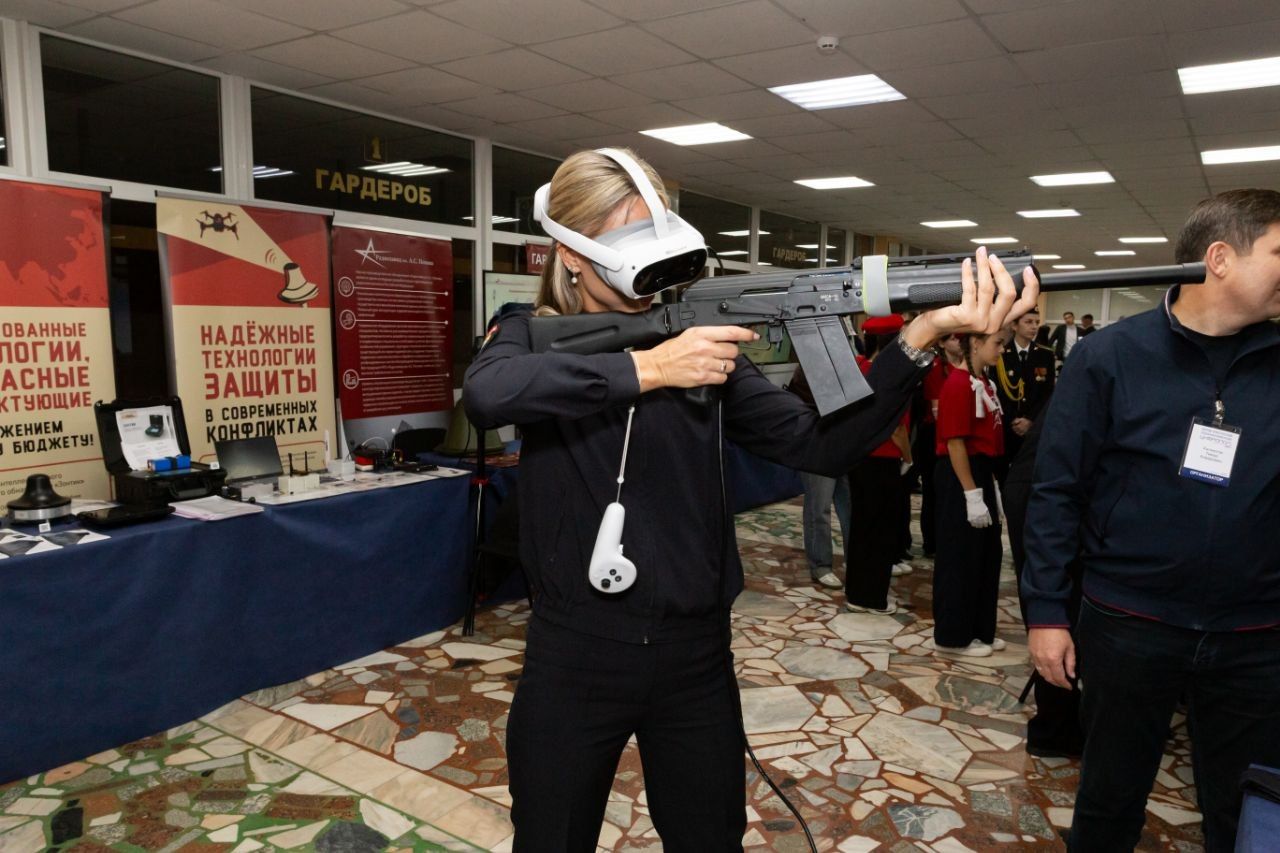
AEROSIM ANTIDRONE combines VR with real equipment, physical training replicas and digital models of counter-drone systems.
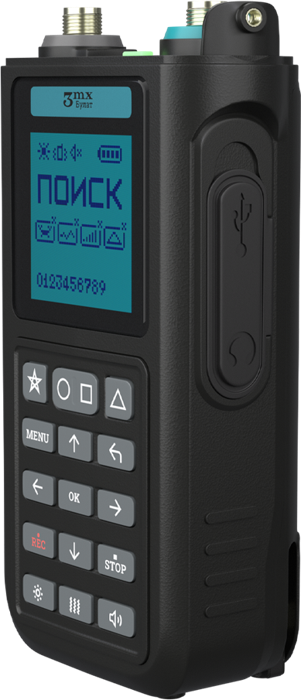
A real 3MX Bulat detector. Practise target detection, signal identification and interpreting frequency and signal-strength readings.
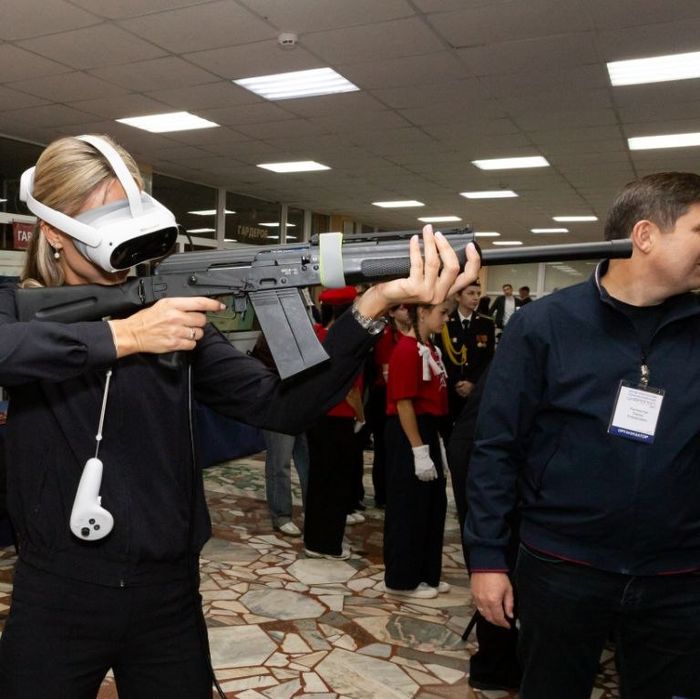
A physical KS-K training replica with realistic weight and balance. Its position is tracked in VR.
Practise selecting a device and operating mode, working within an assigned sector and checking the outcome.
Detect, track and engage aerial targets by day and night, at the outer perimeter or from a moving platform.
Integration with customer equipment is scoped separatelyRehearse preparation, target acquisition, launch and outcome assessment.
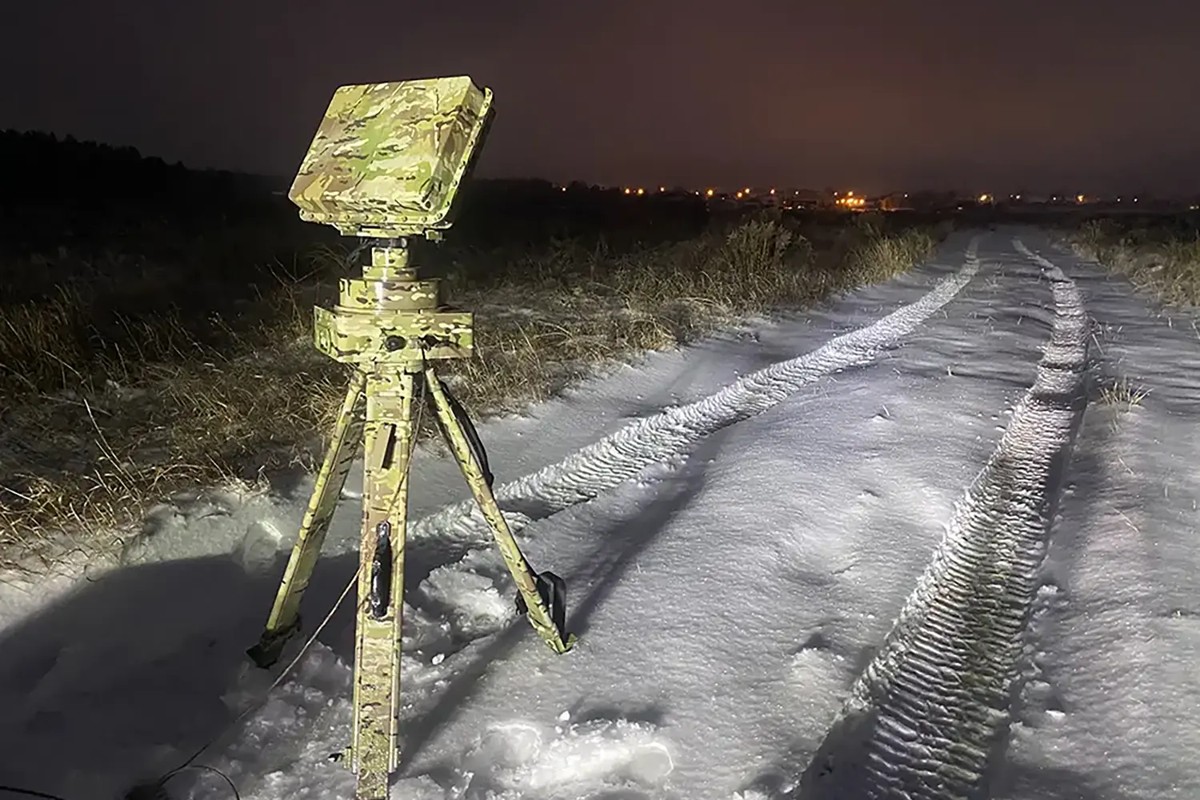
Practise radar operator tasks and share target data with the team.
Operator training module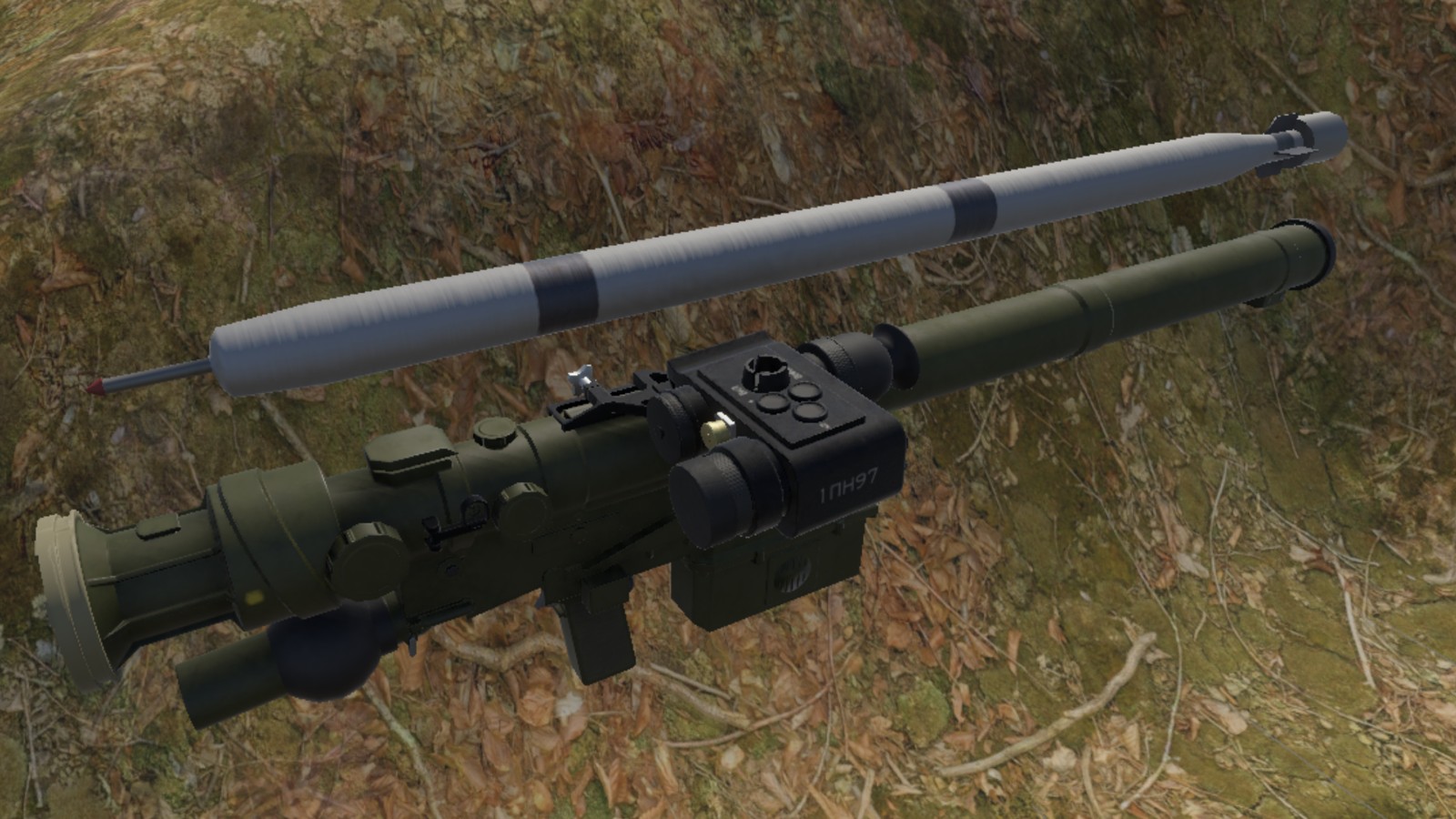
Rehearse the operating procedures for a man-portable air-defence system (MANPADS) against a simulated aerial target.
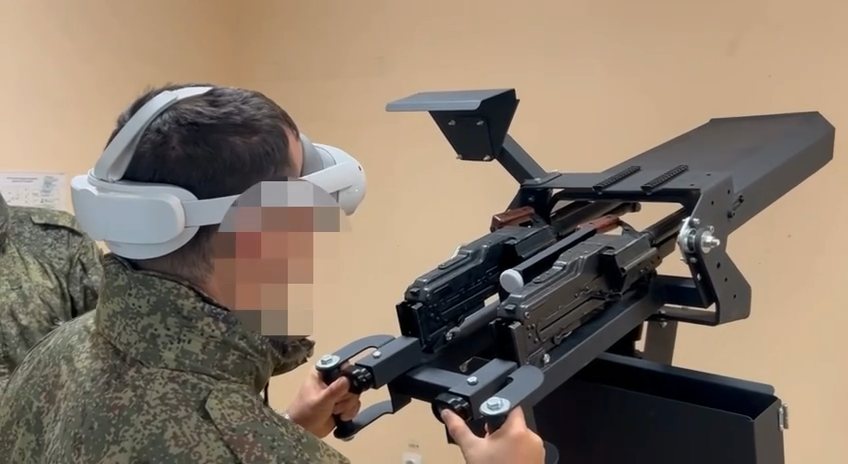 VR · trainee
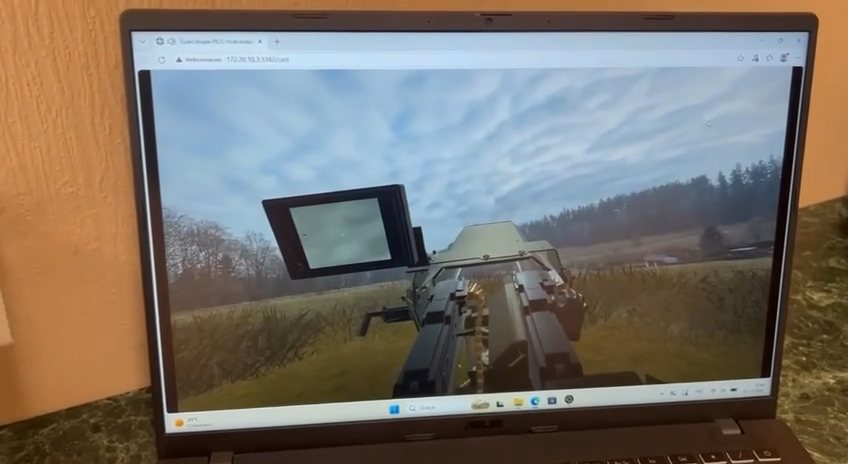 PC · instructor
Instructor workstation
The trainee works in VR while the instructor uses a separate PC workstation. The system runs on a local network and lets the instructor:
The VR feed can also be shown on an external display for group observation and debriefing.
Why AEROSIM ANTIDRONE
Expertise across the disciplines that training depends on. We bring together counter-drone equipment knowledge, ballistics, instructional design, simulation and VR.
Understanding detection and countermeasure systems, team procedures and real aerial threats.
Modelling target movement, lead, range, environmental conditions and the use of small-arms systems.
A progressive programme, from initial equipment familiarisation to independent completion of a challenging task.
Modelling situations that are difficult, expensive or unsafe to recreate regularly in live training.
Bringing professional tasks into an interactive environment with real equipment and physical training replicas.
We work with equipment manufacturers, subject-matter specialists and users of counter-drone systems. Their experience informs new training models, scenarios and simulator interactions.
That combination helps us connect four essential questions:


Partners




Professional training across the full response, bringing equipment familiarisation, practical skills and decision-making into one structured programme.
The package
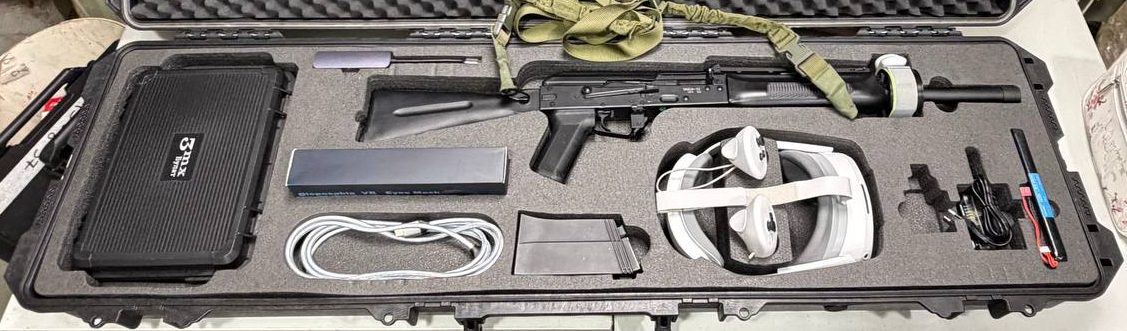
Discuss the modules and equipment that fit your training objectives.
Integration with equipment you already use, such as turrets, is scoped separately. Contact us for a quotation based on your configuration and delivery requirements.
Implementation
The equipment is supplied configured, with the learning programme and training scenarios included.
A complete hardware and software package.
Connect the system and check operation.
Learn to use the software, equipment and training scenarios.
Configure compatibility with your existing equipment, including turrets.
Technical assistance after implementation.
Contact
Explore the learning programme, equipment, practical scenarios and instructor workstation in a demonstration. Tell us about your training objectives and we will discuss a suitable configuration.